

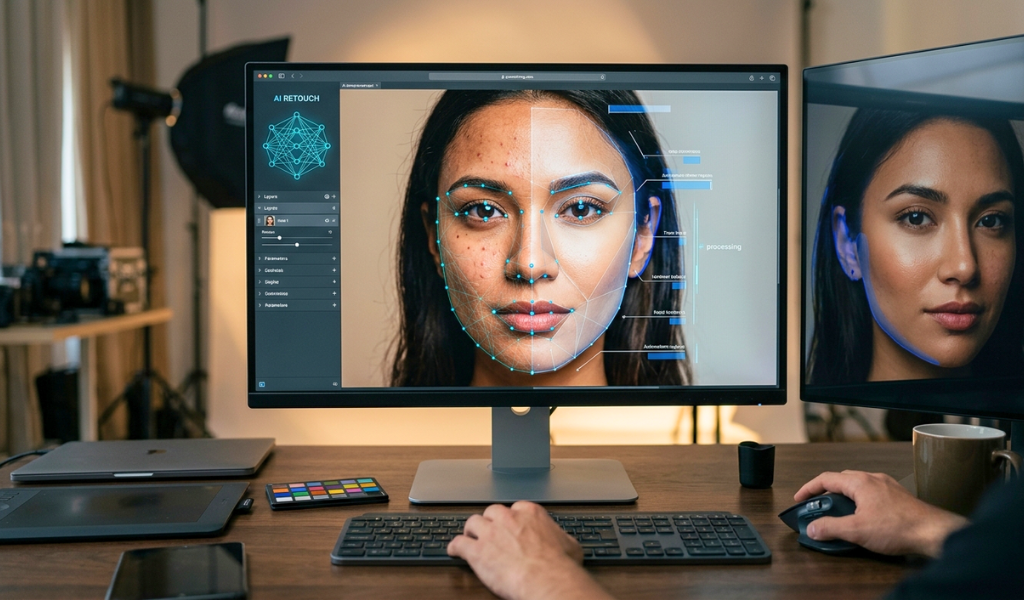
Whether it is for e-commerce product photos or advertising campaigns, AI-powered editing can lessen the amount of manual work and speed up production. Yet, the final form of the image is still best achieved through intelligent use of AI, with professional judgment leading the way.
Quick Summary
- AI can automate repetitive photo editing tasks and reduce production time.
- Editors can even use AI for retouching, but are still holding onto the creative.
- Image Enhancement: AI tools can be used to enhance the low quality of images by improving the lighting, colors, details, and the overall consistency of the image.
- Background removal is highly relevant for ecommerce and product imagery.
- Human review remains important when accuracy, realism, and brand consistency matter.
What Makes an AI Photo Retouching Tool Useful for Professionals?
The AI image enhancement software tool works automatically because it recognizes repeated image elements and applies the right modification many times quicker than the manual process.In professional workflows, this translates to faster skin retouching, object cleanup, exposure correction, color enhancement, and background adjustment. Editors can spend less time doing the same repetitive steps and be able to concentrate on creative decisions and quality.
Faster Editing at Scale
In cases where a hundred or a thousand images require the same adjustments, AI becomes a great help. Batch processing can keep a Casio-type visual stamp while ensuring no editor needs to perform each action in succession.
How Does An AI Photo Retouching Tool Work?
Image editing software built on AI usually runs an analysis of an image through trained algorithms to help identify subjects, backgrounds, edges, colors, lighting, and other visual components of the scene. This is followed by an automatic adjustment as per the task selected by the end-user.For instance, an AI system can identify the primary object depicted in a product photo and isolate it from the backdrop. It can then discard unneeded areas, enhance image clarity, or modify the lighting.
New cloud-based AI photo editing tools are also capable of combining multiple automated features in a single workflow to promote the transition of professionals from basic corrections to advanced retouching more effectively.
Can AI Retouch Photos Without Making Them Look Artificial?
Yes, when used carefully. AI is able to generate artificial realistic assets, but the result will depend on the technology used, settings, input image, and quite a bit of editing applied.Over-embracing retouching will smooth out skin, remove normal textures, or create unrealistic surfaces. Therefore, results generated by AI should not be left to themselves, and you should be a professional editor by hand.
An efficient workflow incorporates bots and human intelligence. This principle is especially crucial when it comes to fashion, beauty, jewelry, advertising, and e-commerce photography, where realistic details make a difference.
What Can An AI Photo Retouching Tool Do?
The capabilities vary between platforms, but professional AI photo retouching software can support tasks such as:- Removing unwanted objects and distractions
- Enhanced Brightness, Contrast, and Color
- Enhancing image sharpness and details
- Retouching portraits and skin
- Correcting minor image imperfections
- Detecting and removing backgrounds
- Improving consistency across image batches
- Obtaining them and setting them up for e-commerce and marketing platforms
Can AI Remove Backgrounds From Product Photos?
Yes. Background removal is one of the most straightforward applications of AI for commercial photography.An AI background removal tool identifies the primary subject and isolates it from its background. It can be an enormous time-saver when preparing product images for online stores, catalogs, marketplaces, ads, and social media.
A good example of this would be an e-commerce business that has to maintain hundreds of product images with white or transparent backgrounds. Rather than you creating selections around each product, AI can already do much of the groundwork for you.
Why Does It Matter for Product Photography?
AI Photo Editing Service for product photography can help businesses create cleaner and more consistent visuals. On the other hand, products that are finely detailed, clear material, reflective surface, fur, hair, or complex edge still need to be checked and trimmed by professionals.Is AI Photo Retouching Better Than Traditional Photo Editing?
Neither approach is automatically better. They help for different reasons.AI is great at speedy, repetitive tasks, batch processing, and the first round of correction tasks. Traditional editing also gives you more manual control when an image needs careful masking, detailed retouching, creative manipulation, or highly niche brand specifications.
The most powerful professional workflow usually merges the two. AI takes care of the tedious, repetitive tasks, while skilled editors edit, correct, and polish the final products.
Practical Comparison: AI vs. Traditional Editing
| Editing Requirement | AI-Assisted Editing | Traditional Editing |
| Large image batches | Excellent for automation | Time-consuming |
| Background removal | Fast initial processing | Precise manual control |
| Basic enhancement | Quick and consistent | Highly controllable |
| Complex retouching | Requires human review | Strong manual precision |
| Repetitive corrections | Highly efficient | Slower |
| Creative manipulation | Helpful as a starting point | Greater creative control |
| Final quality control | Human review recommended | Direct editor control |
Choosing the Right AI Editing Workflow
When considering adopting an AI solution, first reflect on the type of images you edit and the scale of the images. Seek those that allow batch processing, accurately capture the subject, do not produce unnatural results, and can be easily fiddled with by a human.You should also test it on actual images in addition to these demos. Verify challenging areas, such as product edges, shadows, reflections, hair, transparent components, or small textures
Professional help can provide an extra layer of quality control for businesses that require constant commercial results. E-Retouching India enables businesses to infuse their professional image editing workflow with an effective AI-assisted retouching process while maintaining quality and consistency in mind.
Also Read: Jewelry Photo Editing: Enhance Shine, Colour, And Clarity For Stunning Visuals
Conclusion
An AI photo retouching tool can significantly speed up professional image editing by automating repetitive tasks, enhancing images, removing backgrounds, and supporting large-scale workflows. This can be particularly beneficial for ecommerce, advertising, fashion, jewelry, and product photography..But AI must not take professional judgment entirely off the table. The best way to do this is to deploy AI to do the heavy lifting and have a human editor do the fine-tuning, increasing the accuracy, realism, and human-like feel of the content. If the workflow and quality checks are right, businesses will be able to create quality images more quickly than before while maintaining the visual quality.
E-Retouching India can help you with an AI-assisted high-volume photo retouching workflow that might suit your requirements if you are dealing with a lot of images in your business.