

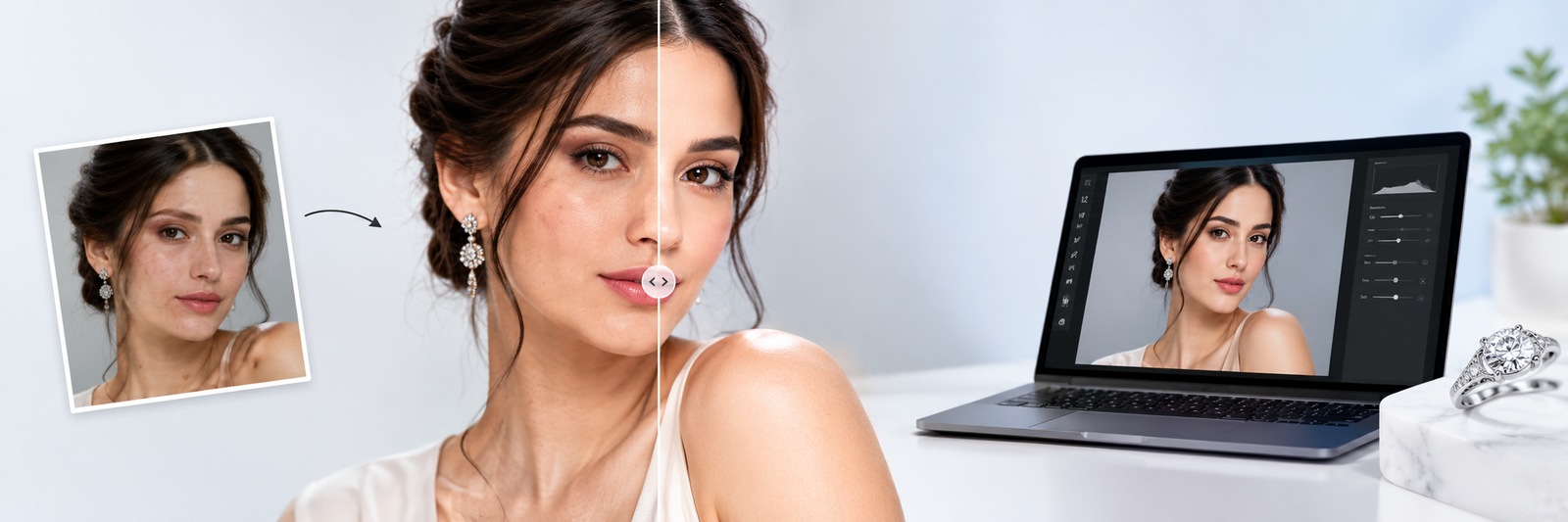
Ai Jewellery Photo Editor Online Free
Improve your images with AI-powered photo retouching and editing tools. Upload your photo online to explore image enhancement, background removal, object removal, upscaling and restoration solutions for product photography and professional image editing.
Try It Free, Upload Your Photo
Upload your image and fill out the form to get started. Create a free account to access AI-powered photo editing solutions for ecommerce, product photography, jewellery images and more.
Get Started
Enter your details to continue with your uploaded image.
What Is AI Product Photo Retouching?
AI image retouching analyses a photograph using artificial intelligence and automatically enhances areas such as clarity, lighting, colour, complexion, background and undesired features. Artificial intelligence can assist speed up basic photo editing activities while keeping a professional-looking outcome, instead of spending hours making repetitive edits manually.
An AI photo retouching tool can be useful for photographers, ecommerce businesses, jewellery brands, marketers and anyone who needs high-quality images for websites, catalogues or social media.
Whether you need quick online editing or want to improve product photography, AI-powered tools can simplify your image editing workflow.
Best AI Tools for Photo Editing
AI-powered photo editing combines multiple features to help you improve and prepare images more efficiently. From removing backgrounds to increasing image resolution, different AI tools can handle common editing and enhancement requirements.
Photo Enhancer
Improve the overall appearance of your photos with AI-powered enhancement. An AI photo enhancer can help refine image details, improve clarity, balance lighting and produce a cleaner-looking result.
Background Remover
Remove distracting or unwanted backgrounds from your images with an AI background remover. Create clean product images and prepare photos for ecommerce websites, catalogues, advertisements and other marketing materials.
Image Upscaler
Have a low-resolution image that needs more detail? An AI upscaler can increase image resolution while attempting to preserve important details and improve overall image quality.
Object Removal
Remove unwanted objects and distracting elements from photographs. AI-powered object removal can help create cleaner images without requiring extensive manual editing.
Image Restoration
Restore older, faded or damaged images with AI-assisted restoration. Improve clarity and recover visible details to give photographs a cleaner and more refined appearance.
Photo Enhancement
AI image enhancement can improve different aspects of a photograph, including sharpness, colour, contrast, lighting and fine details. It is useful when an image needs a quick quality improvement before publishing or sharing.
Ai Photo Editing free tools for Product Photography
High-quality product photography plays an important role in ecommerce. Clean, consistent and visually appealing product images can help businesses present their products more effectively across websites, marketplaces, catalogues and advertising campaigns.
AI image editing free tool can assist with common product image requirements such as:
Background Removal
Remove distracting backgrounds and create clean, professional product images for ecommerce.
Image Enhancement
Improve image clarity, sharpness and overall appearance while maintaining a natural-looking result.
Object Removal
Remove unwanted objects, distractions and imperfections that can take attention away from the product.
Resolution Upscaling
Increase image resolution and improve visible details when working with smaller or low-resolution photographs.
Colour & Lighting
Improve colour balance, brightness, contrast and lighting for a more consistent product presentation.
Detail Enhancement
Refine important product details and create sharper, clearer and more polished-looking images.
Product Image Cleanup
Clean up visual imperfections and prepare product images for websites, catalogues and marketing materials.
Ecommerce Preparation
Prepare consistent product images suitable for ecommerce websites, marketplaces and online product listings.
For jewellery, fashion, beauty and other product photography, AI tools can help speed up repetitive editing tasks and support a more consistent visual style.
Photo Editing Tool for Professional Workflows
Professional image editing often involves repetitive tasks that can take considerable time when completed manually. AI photo editing software can help simplify these processes by automating selected editing and enhancement tasks.
Depending on your workflow, AI can assist with:
Improve Image Quality
Enhance overall image quality and create cleaner, more polished-looking photographs.
Enhance Details
Refine important visual details and improve clarity where additional definition is needed.
Remove Backgrounds
Separate subjects from their backgrounds for cleaner and more flexible image compositions.
Remove Unwanted Objects
Eliminate distracting objects and unwanted elements from photographs.
Upscale Images
Increase image resolution while attempting to preserve useful visual details.
Restore Older Photographs
Improve older or damaged photographs and recover visible details where possible.
Prepare Product Images
Create clean and consistent product images for ecommerce websites and marketing materials.
Create Consistent Outputs
Maintain a more consistent visual appearance across multiple images and projects.
AI works alongside professional editing. AI doesn't necessarily replace professional editing. Instead, it can work alongside traditional editing processes to reduce repetitive work and help editors focus on more detailed creative tasks.
AI Photo Editing vs Traditional Photo Editing Online
Both AI-powered and traditional editing have their place in a professional workflow. The right approach depends on the image, the desired result and the level of control required.
| Feature | AI Photo Editing | Traditional Photo Editing |
|---|---|---|
| Background removal | Automated and faster | Usually manual |
| Object removal | AI-assisted | Manual editing |
| Image enhancement | Automated adjustments | Manual adjustments |
| Image upscaling | AI-powered enhancement | Traditional resizing |
| Restoration | AI-assisted | Detailed manual restoration |
| Repetitive tasks | Faster to process | Can take more time |
| Creative control | Depends on the tool | High level of manual control |
AI tools are particularly useful for repetitive editing tasks, while traditional editing can provide greater control for complex or highly detailed work.
AI Rendering Software vs AI Photo Editing
AI photo editing and AI rendering are used for different purposes.
Photo Editing works with an existing photograph and helps improve, enhance, retouch or modify the image. This can include background removal, object removal, enhancement, restoration and upscaling.
Rendering Software, on the other hand, is generally used to create visual representations from digital models, designs or other inputs. Rendering is commonly associated with areas such as 3D design, architecture, jewellery design and product visualisation.
If you already have a photograph that needs improvement, an AI photo retouching or editing tool is generally more relevant than rendering software.
Who Can Use an AI Photo Retouching Tool?
AI photo retouching can support different types of professionals and businesses by reducing repetitive editing work and helping prepare images more efficiently.
Photographers
Speed up repetitive editing tasks and prepare photographs for websites, portfolios, marketing and client delivery.
Ecommerce Businesses
Create cleaner and more consistent product images for online stores and marketplaces.
Jewellery Businesses
Enhance jewellery photographs, clean backgrounds, improve details and prepare product images for websites and catalogues.
Marketing & Creative Teams
Quickly prepare images for advertisements, social media, websites, campaigns and other digital content.
How to Use Our AI Photo Retouching Tool
Transform your photos in just a few simple steps with our AI-powered photo editing workflow.
Upload Your Photo
Choose a JPG, PNG or WebP image and upload it directly through the tool.
Let AI Process Your Image
Our AI-powered workflow analyses your image and applies the selected editing or enhancement process.
Preview the Result
Review your AI-enhanced image and see how the editing has improved the original photo.
Sign Up to Continue
Happy with the result? Create an account to unlock your HD result and continue using available AI photo editing features.
Upload Your Image & Get Started
Why Use AI for Photo Editing?
AI can make common photo editing tasks faster and easier, especially when you need to process multiple images or repeat the same type of editing.
Key Benefits of AI Photo Editing
Faster Editing Workflows
Reduce the time spent on repetitive editing tasks and process images more efficiently.
Online Accessibility
Edit and enhance images online without relying entirely on complex desktop software.
Quick Background Removal
Create clean, professional-looking images with less manual background editing.
Image Enhancement
Improve clarity, lighting, colour and visible details for a cleaner final image.
Object Removal
Remove unwanted elements from photographs with a simpler and faster editing workflow.
Image Upscaling
Improve the resolution and appearance of suitable low-quality images.
Photo Restoration
Give older or damaged photographs a cleaner and more refined appearance.
Consistent Workflows
Apply similar editing processes across multiple images for a more consistent visual result.
Enhance Your Photos With AI
Improve your images with a simple AI-powered photo retouching workflow. Upload your photo, preview the result and see how AI can help with enhancement, background removal, object removal, upscaling and other editing tasks.
Frequently Asked Questions
The best AI tool for photo editing depends on the type of work you need to complete. Features such as photo retouching, enhancement, background removal, object removal, upscaling and restoration can make an AI editing tool more useful for different workflows.
AI photo retouching uses artificial intelligence to analyse and improve photographs. It can assist with tasks such as image enhancement, background removal, object removal, restoration and other photo editing processes.
Yes. AI background removal tools can automatically detect the main subject and remove the surrounding background, making them useful for product photography, ecommerce images and marketing content.
AI upscaling can increase the resolution of suitable images and attempt to improve visible details. The final result depends on the quality and resolution of the original image.
Yes. AI object removal can identify selected unwanted elements and generate a replacement area to create a cleaner-looking photograph.
Yes. AI photo editing can be useful for product photography, particularly for background removal, image enhancement, object removal, upscaling and preparing consistent images for ecommerce websites and catalogues.